In today’s fast-paced world, staying connected with friends and family is more important than ever. And thanks to technology, we have an array of messaging apps that make it easier to stay in touch. One such app is WhatsApp, which has become a popular choice for people all over the world. While most of us are familiar with using WhatsApp on our mobile devices, did you know that there is also a web version? In this article, we will guide you on How to log in to WhatsApp Web and explore its many benefits.
The Basics of WhatsApp Web
WhatsApp Web is a feature that allows you to access your WhatsApp account on your desktop or laptop. It works by mirroring your chats and messages from your phone to your computer, making it seamless to switch between devices. This means that you can use WhatsApp on both your mobile device and your computer simultaneously, without having to log in and out.

Setting Up WhatsApp Web
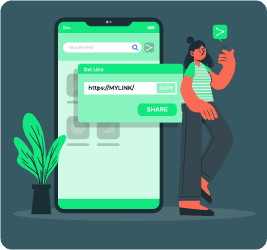
The set-up process for WhatsApp Web is quick and easy. First, you need to ensure that you have the latest version of WhatsApp installed on your phone. Next, open the web browser on your computer and go to web.whatsapp.com. You will see a QR code on the screen. On your phone, open WhatsApp and tap on the three dots at the top-right corner. Select “WhatsApp Web” and scan the QR code on your computer screen. Once the code is scanned, your WhatsApp account will be …